
Speed Popcorn Escape How to Redeem Codes
Claim promo rewards safely in lobby — plus the Popcorn Maniacs group gift.
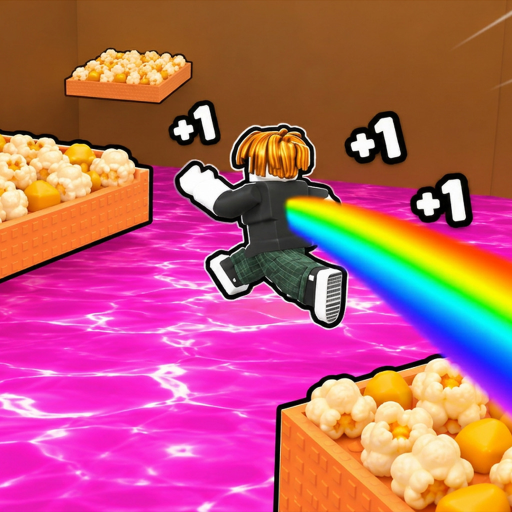
Redeeming codes in +1 Speed Popcorn Escape is simple once you know where the lobby UI lives — and what not to trust online. This walkthrough covers the usual Roblox simulator redeem flow, the Popcorn Maniacs group gift, troubleshooting, and how free rewards fit the +1 Speed / Wins / Rebirth loop. Pair it with the live status on the Codes Hub.
Before you start
Confirm you are launching the real experience:
- Game: +1 Speed Popcorn Escape (wiki short name: Speed Popcorn Escape)
- Official page: Roblox game link
- placeId 86151200458334, universeId 10770746841
- Developer group: Popcorn Maniacs (group id 339541629), owner ZorathDev
Phishing copies and “code redeem websites” that ask for your password are never legitimate. Codes belong in the in-game box after you join the real place. Official links are collected on the Links Hub.
Also decide what you will spend rewards on. Free Wins or speed boosts are most valuable when you already know whether you should keep training or rebirth. Skim the Tier List Hub if you are unsure.
Step-by-step: redeem a promo code
- Log into the correct Roblox account — the one that should keep the rewards. Codes are almost always account-bound and one-time.
- Join from the official game page so you land in the authentic place (max 16 players per server).
- Wait in the lobby until UI finishes loading. If you just failed on the course (lava, crusher, or rolling ball), you are sent back to lobby anyway — redeem there before queuing another run.
- Open the Codes / Rewards / gift UI. In +1 Speed-style simulators this is usually a button near shop, Wins, or social icons. Label text can change after patches; look for a text field and a Submit / Redeem control.
- Type the code exactly. Match capital letters. Do not add spaces before or after. Paste carefully if you copied from a group shout — remove markdown bold markers or emoji that sometimes cling to mobile copy.
- Press Redeem / Submit and watch for a success message, particle burst, or Wins counter tick.
- Verify inventory or currency. If the reward is a boost, note the duration so you do not waste it standing still in lobby.
- Start a purposeful run — treadmills, popcorn carpet steps for +1 Speed each, or a push toward the next Win milestone. See Getting Started and Treadmill Training.
Mobile tips
- Rotate to landscape if the codes button is hidden under the joystick.
- Use paste from the Roblox app / browser after copying the group shout.
- Hide the keyboard fully before judging whether the redeem button registered.
Console / controller tips
- Highlight the codes button with the virtual cursor or UI tab cycle.
- Open the on-screen keyboard; watch for auto-capitalization changing the string.
- If text entry is awkward, redeem on mobile/PC first, then continue playing on console — rewards stay on the account.
Full input maps live on the Controls guide.
Claim the Popcorn Maniacs group gift
Even when no promo codes are listed on the Codes Hub, you should still claim the group gift:
- Visit the Popcorn Maniacs group page on Roblox (id 339541629).
- Join with the same account you play Speed Popcorn Escape on.
- Relaunch the experience if a claim prompt does not appear.
- Accept / collect the gift from lobby UI when shown.
This is the onboarding reward the game itself points players toward. Treat it as step zero of any free-rewards checklist.
Common errors and fixes
| Message / symptom | Likely cause | Fix |
|---|---|---|
| Invalid / wrong code | Typo, wrong game, or invented string | Recopy from group shout; confirm placeId |
| Already redeemed | One-time code on this account | Stop retrying; check alt only if rules allow |
| Expired | Limited window ended | Remove from your list; watch for the next drop |
| Nothing happens | UI still loading or button miss | Rejoin lobby; try again once |
| Rewards missing | Need relaunch or claim click | Soft rejoin; check Wins and inventory |
If every code fails, you may be in a copied experience. Compare the browser URL place number to 86151200458334 and use the Links Hub.
Where to find real codes (not guesses)
Priority order:
- Popcorn Maniacs group shout
- Official Discord / social posts linked from the group or creator
- In-game update boards after patches (see Updates Hub)
- This wiki’s Codes Hub once a string is confirmed
Do not treat example patterns from other +1 Speed games as live codes for Popcorn Escape. Mark any such examples you see elsewhere as unconfirmed. We intentionally leave fake “ACTIVE: SPEED100” rows out of this guide.
After you redeem: spend smart
Every step on the giant popcorn carpet still grants +1 Speed, with satisfying POP feedback. Codes that grant Wins or multipliers shine when you:
- Clear a short treadmill block before a serious course attempt
- Bank progress toward the First Rebirth badge instead of impulse shop buys
- Avoid dying to rising lava / crushers / the giant rolling ball right after activating a timed boost — read Beat Obstacles
Leaderboard climbers should time redeemable boosts for clean high-speed runs; see the Players Hub. Progression priority context is on Rebirth Priority and the parent Tier List Hub.
Account and safety checklist
- Redeem only inside Roblox on the official place
- Never share your password or account cookie for “code bots”
- Avoid executors that promise auto-redeem; ban risk outweighs typing a short string — Scripts Hub
- Keep Parental / PIN settings in mind if a child plays on a shared device
Quick redeem checklist
- Official place loaded in lobby
- Group joined for the free gift
- Code copied from an official channel
- Exact paste → Redeem → verify Wins/items
- Spend rewards into treadmill / run / rebirth plan
- Update your personal notes if the code expires
Return to the Codes Hub whenever Popcorn Maniacs announces something new, and keep this redeem flow bookmarked so you never lose a limited drop to a typo.
Frequently Asked Questions
Quick answers for codes, rebirth, treadmills, and obstacle runs.
Where is the codes button in Speed Popcorn Escape?
Look in the lobby near shop, Wins, or social/reward icons for a Codes or Rewards panel with a text box. Labels can change after updates; rejoin if the UI has not finished loading.
Can I redeem codes on mobile?
Yes. Open the same lobby UI, paste the code carefully, and hide the keyboard before confirming. Landscape mode helps if controls overlap the button.
Do I need to join Popcorn Maniacs to use codes?
Promo codes and the group gift are separate. Join group 339541629 for the free gift either way; codes still redeem in the Codes UI when official strings exist.
Is it safe to use a website that redeems codes for me?
No. Never enter your Roblox password on third-party redeem sites. Use the in-game box on placeId 86151200458334 only.
What should I buy after redeeming Wins?
Follow the Tier List and Rebirth Priority guides: early speed via treadmills and clean runs usually beats random spending before your first rebirths.